
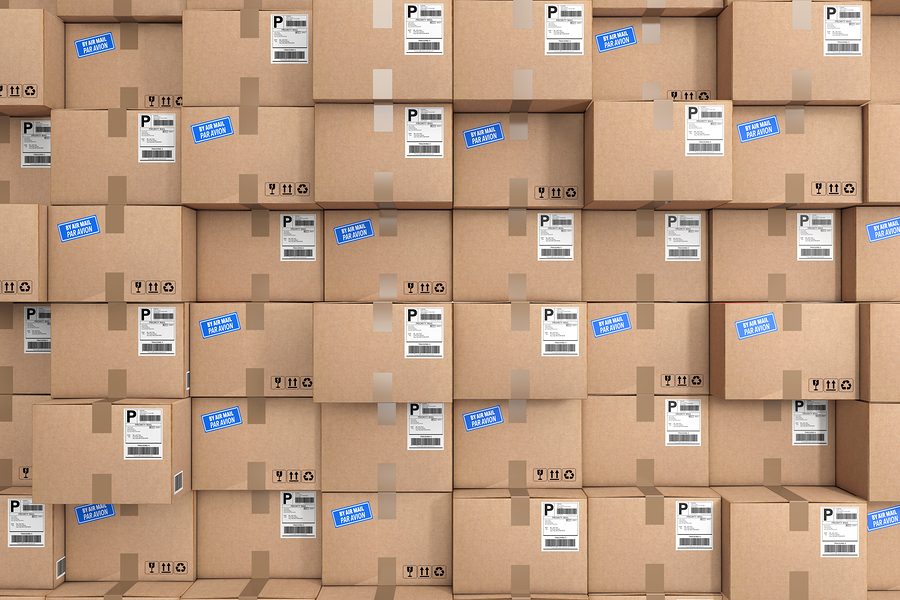
The daily flood of mail and packages can overwhelm mailrooms and staff, resulting in misplaced, damaged, or stolen deliveries. And that, of course, leads to dissatisfied tenants.
Even if your property doesn’t have the space for package lockers, there’s still a way to organize your mailroom operations — implementing Smiota Mailroom Software. With this tool at their fingertips, mailroom staff can quickly and easily receive, send, and track deliveries.
Smiota’s customizable software also includes several features that make it a comprehensive package management solution, including:
- The ability to search and filter data, complete quick tasks, and manage mail, packages, and recipients from a mobile device
- Zebra printer compatibility, which allows mailroom staff to print custom package labels for multiple drop-off and pick-up locations
Here’s how it works.
Onboarding process
Before you can start taking advantage of Smiota Mailroom, we need to set up a few things.
- We install the Smiota Mailroom Software on your desktop and/or mobile devices.
- We work with your property management staff and IT department to integrate recipient data into the Smiota database. This can be done securely through API integration, SFTP upload, or CSV upload.
After the installation and data upload, you’re ready to simplify your mailroom tasks.
Receiving mail and packages
- Using Smiota’s Mailroom Software, tap “Receive Standard.”
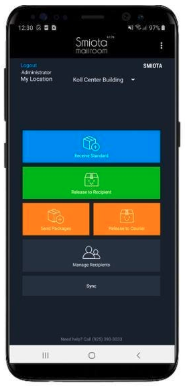
| 2. Scan the package label. The app will recognize the recipient’s name. | OR enter a few characters of the recipient’s name or unit number and choose the correct recipient from the results. |
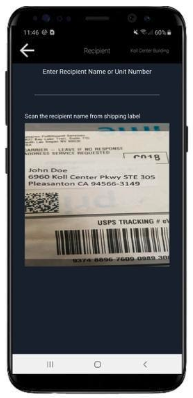 | 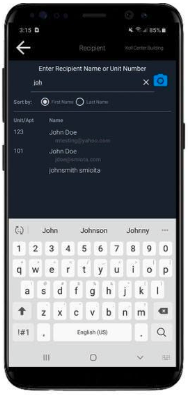 |
- Scan the courier tracking number on the package. The app will populate the courier’s name and tracking number. Tap “Accept Package.”
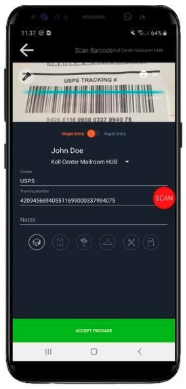
| 4. Tap “Review 1 Package.” | Tap “Receive 1 Package.” |
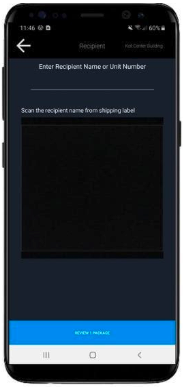 | 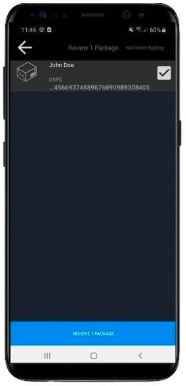 |
To speed up this process, mailroom staff can take advantage of these shortcuts:
- If a courier drops off multiple parcels, they can be scanned all at once. The app keeps count of the items received, so the courier doesn’t immediately need to go through the “review” and “receive” process for each package.
- If a delivery includes multiple things for a single recipient, a rapid entry feature allows staff to scan, review, and receive these parcels all at once.
After mail and package processing, recipients will get email or text notifications about picking up their deliveries. Staff can also choose to include the sender’s name in the recipient’s notification.
If recipients are unable to pick up their parcels on time, they’ll receive a missed delivery reminder.
Releasing mail and packages using Smiota’s Mailroom Software
- Tap “Release to Recipient.”
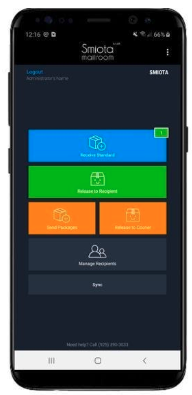
| 2. Scan the package label. The app will recognize the recipient’s name. | OR enter a few characters of the recipient’s name or unit number and choose the correct recipient from the results. |
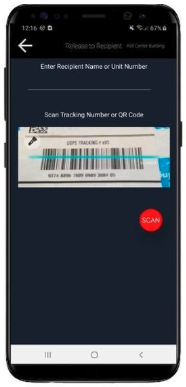 | 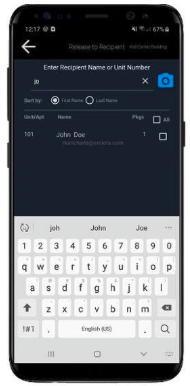 |
- Tap on “Release,” then “Sign for Packages.”
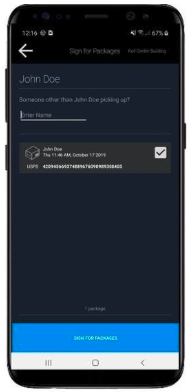
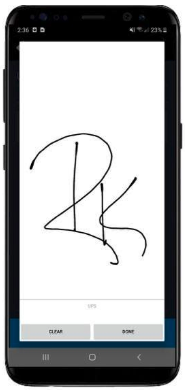
- Ask the recipient to sign on the screen, then tap “Done.”
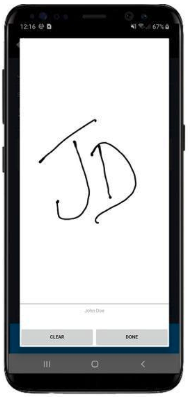
Releasing mail and packages using the Smiota App
- On the recipient’s device, download, install, and authenticate the Smiota App from Google Play or the App store.
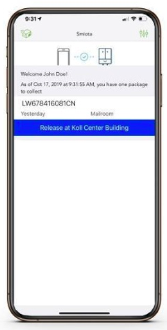
- On the notification page of the app, ask the recipient to tap “Release Package.”
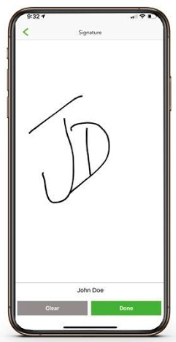
- Ask the recipient to sign on the screen, then tap “Done.”
Sending outbound packages
Receiving outbound packages from the sender
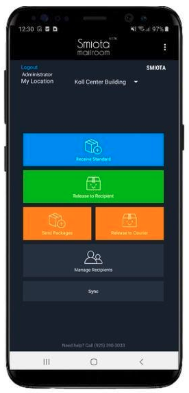
- Tap “Send Packages.”
| 2. Scan the package label. The app will recognize the sender’s name. | OR enter a few characters of the sender’s name or unit number and choose the correct sender from the results. |
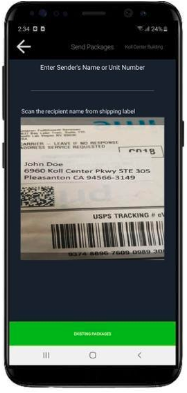 | 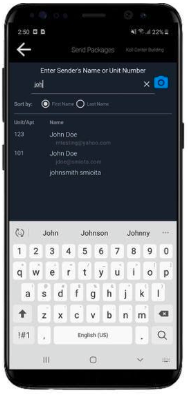 |
- Scan the courier tracking number on the package. The app will populate the courier name and tracking number. Tap “Accept Package.”
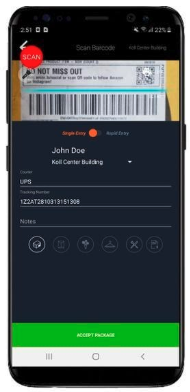
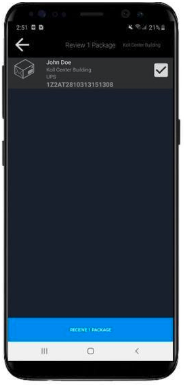
| 4. Tap “Review 1 Package.” | Tap “Receive 1 Package.” |
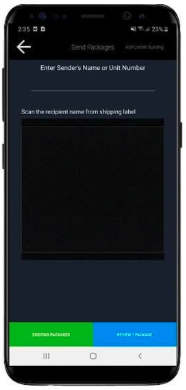 |  |
Releasing outbound packages to a courier
- Tap on “Release to Courier.”
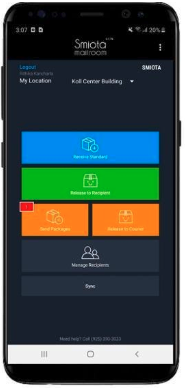
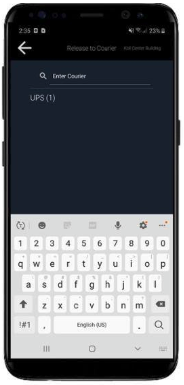
- Select the courier name.
- Select the package(s) and tap “Sign for Packages.”
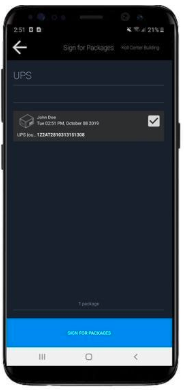
- Ask the courier to sign on the screen, then tap “Done.”
Ready to simplify your mailroom? Contact us today to learn how Smiota’s software platform can help.